kdovede
Features

What kdovede does

From the tournament format through the schedule and scores from the pitch to the hall screen. Every feature is shown on a real screenshot from the web or the mobile app.

1

Preparation

Format, schedule and data in one place before the first whistle.

Tournament format

Groups, knockout, or both

Build the tournament from stages: group stage, knockout, friendlies or placement groups by rank. Set the advancement rules in the seeding, kdovede works out the rest.

  • Advance from groups to a bracket or to final groups, including carried-over head-to-head results.
  • Football, floorball and others by goals; volleyball, tennis and racket sports by sets.
  • Templates for a quick start, a custom structure for special cases.
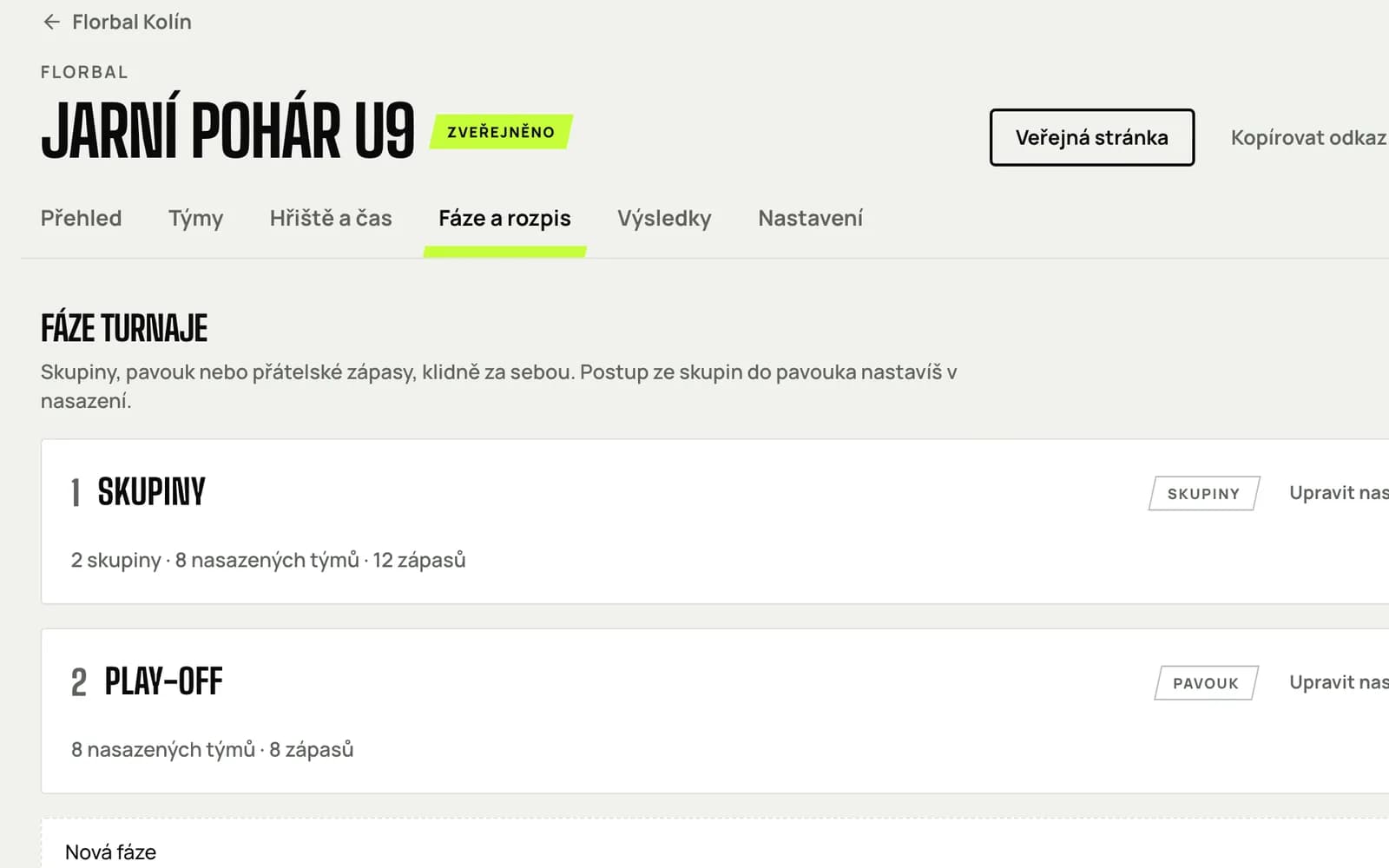
Organizer page Tournament stages with groups and play-off
Schedule

A schedule without clashes

Enter courts and playing blocks and the schedule generates itself with breaks between matches. Fine-tune it by dragging, swap matches, and the app watches for clashes.

  • Several courts and days, rest between one team's matches.
  • Drag a match to another time or court, swap two matches.
  • A printable schedule and a QR code linking to the tournament page.
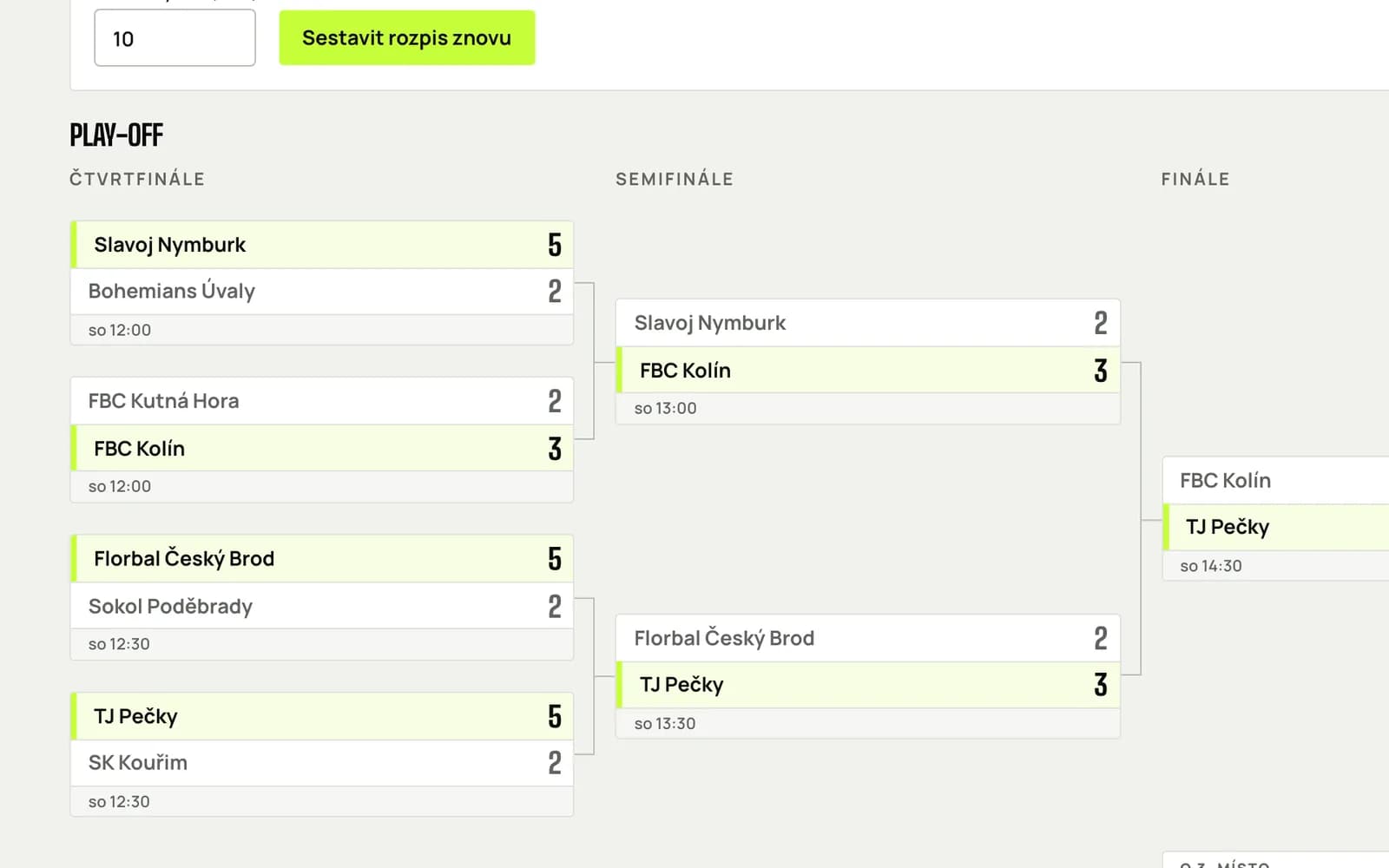
Play-off schedule in the organizer area with draggable match cards
Google Sheets

When the team lives in a spreadsheet

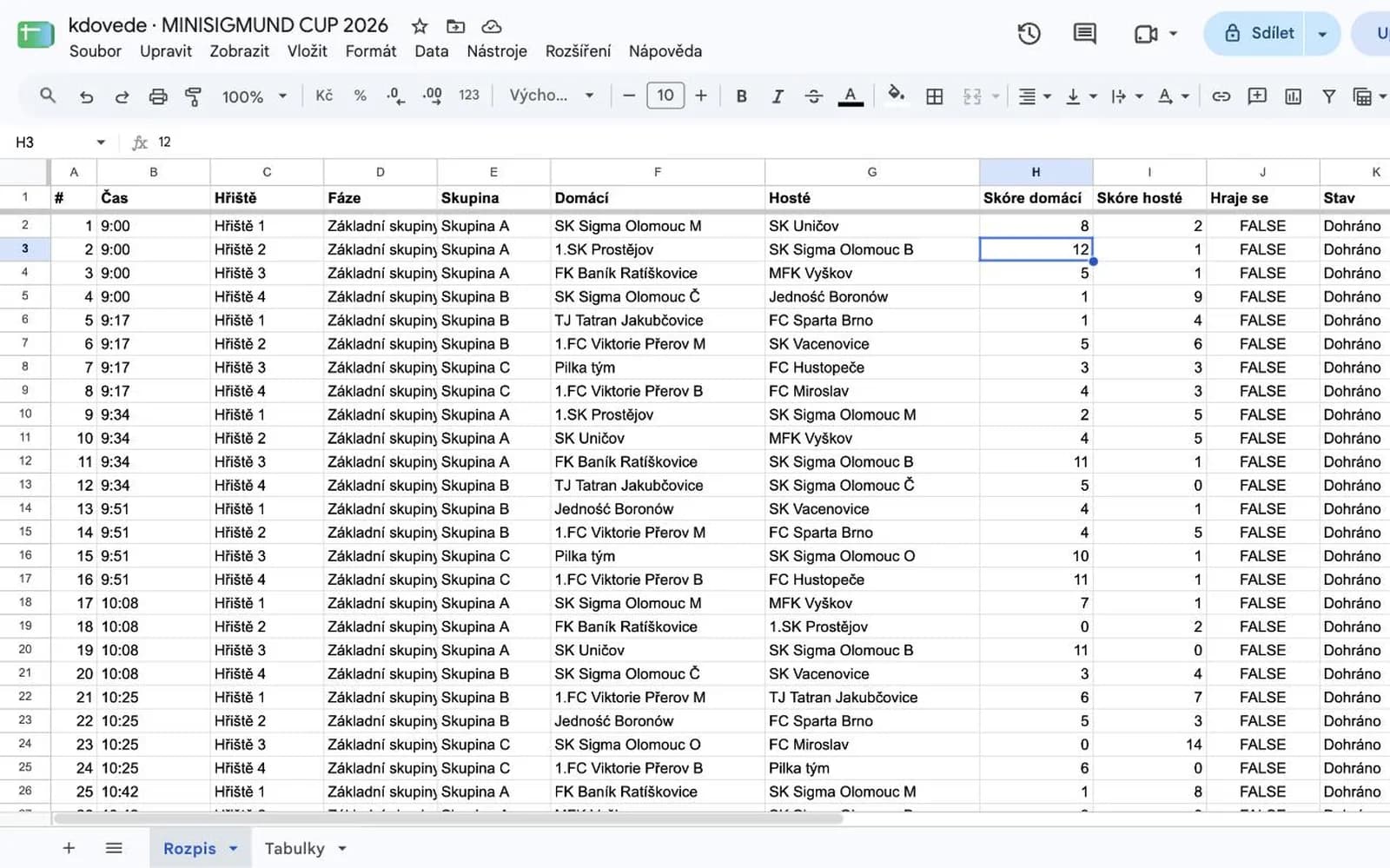
Connect the tournament to a Google Sheet: kdovede creates a spreadsheet in your Drive with the schedule and group standings. Type results into cells and they are on the web within half a minute, and the other way round.

  • The Schedule and Standings sheets fill in by themselves; locked columns keep the structure.
  • Home score, away score and a Live checkbox; kdovede fills the rest.
  • Access only to files kdovede creates.
Google Sheet with the tournament schedule and score columns
2

Tournament day

Score from the pitch, standings and bracket everywhere the tournament is open.

Live results

Score from the pitch, standings at once

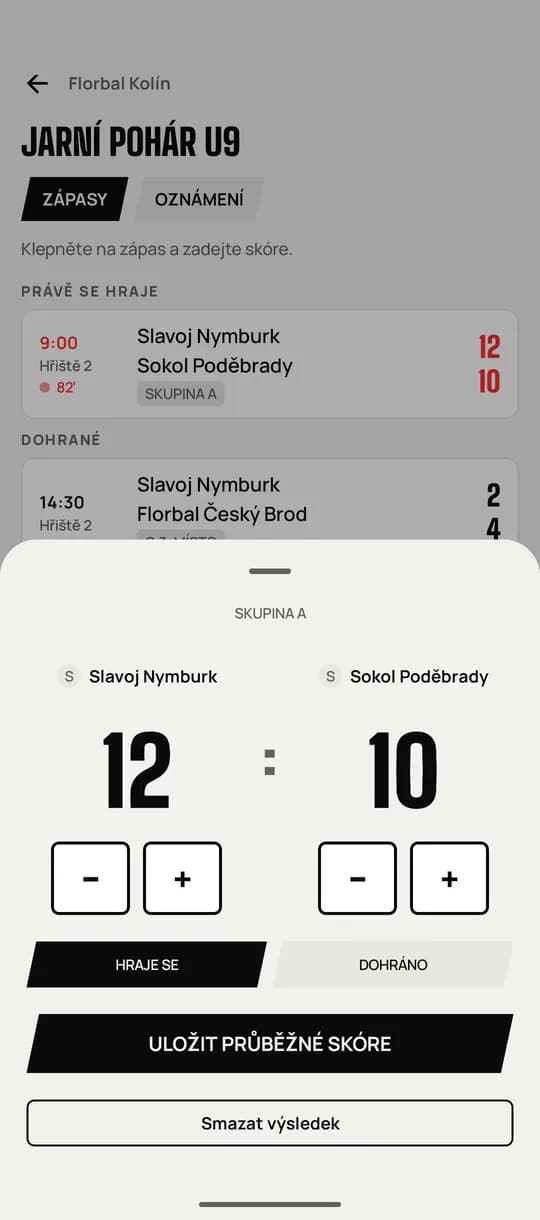
Anyone on your team enters the score from a phone: plus, minus, live, finished. Standings, advancement and the bracket recalculate instantly everywhere the tournament is open.

  • Extra time and shootouts in the bracket, points per set in set-based sports.
  • Several people enter at once, each on their own court.
  • The change reaches the web, phones and the hall screen within a second.
Entering a score in the mobile app with large plus and minus buttons
Standings and bracket

Everyone sees who leads

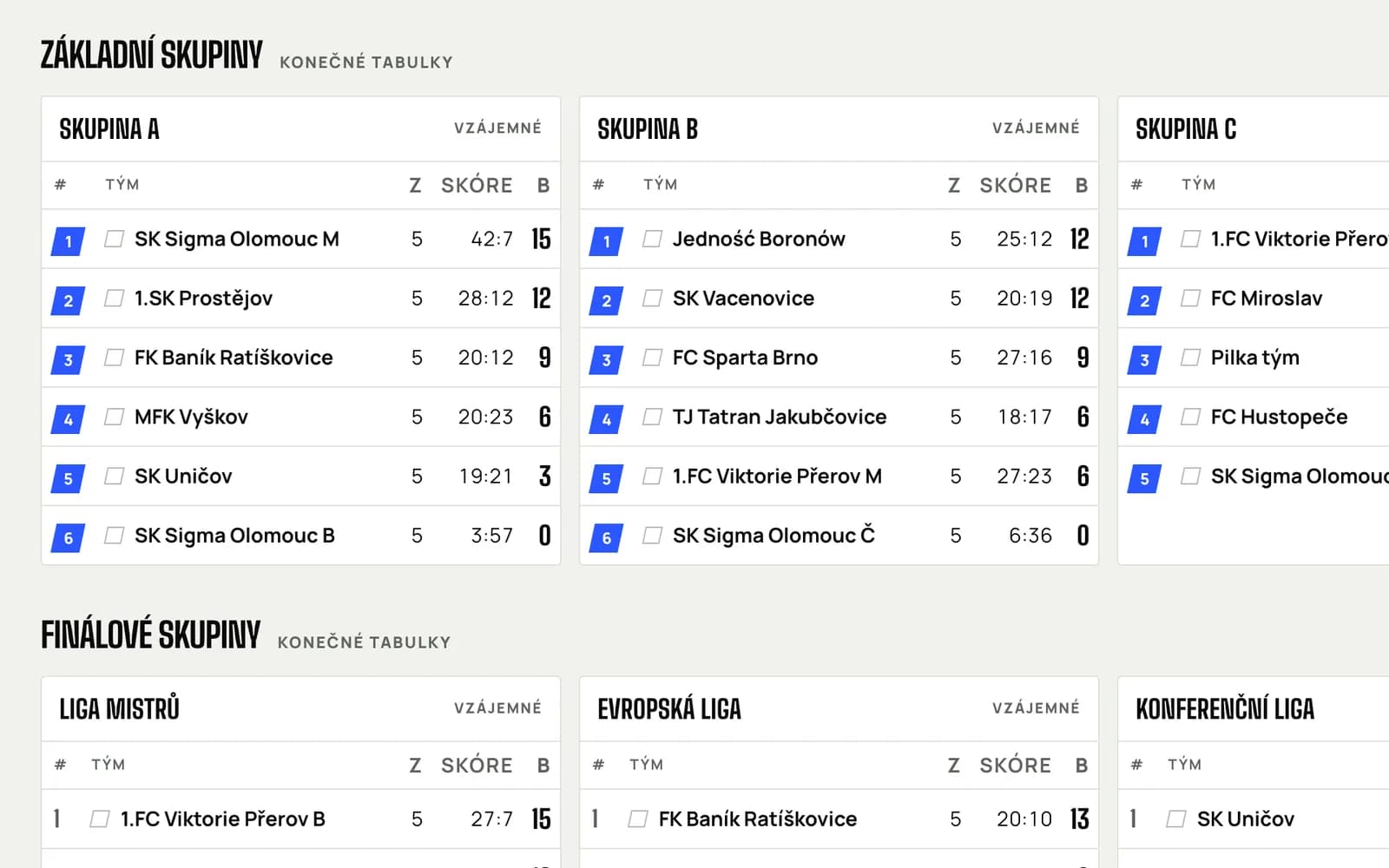
Group standings with advancement places, a head-to-head cross table and a bracket with connectors. A podium after the final.

  • Ranking by points, head-to-head and goal difference; advancement places marked.
  • A cross table one click away in every group.
  • Brackets for 4 to 32 teams, a third-place match, seeding by group rank.
Group and final-group standings on the public tournament page
3

Audience

Players, parents and fans see what the organizer sees: on a phone and on the hall screen.

For players and fans

The tournament in your pocket

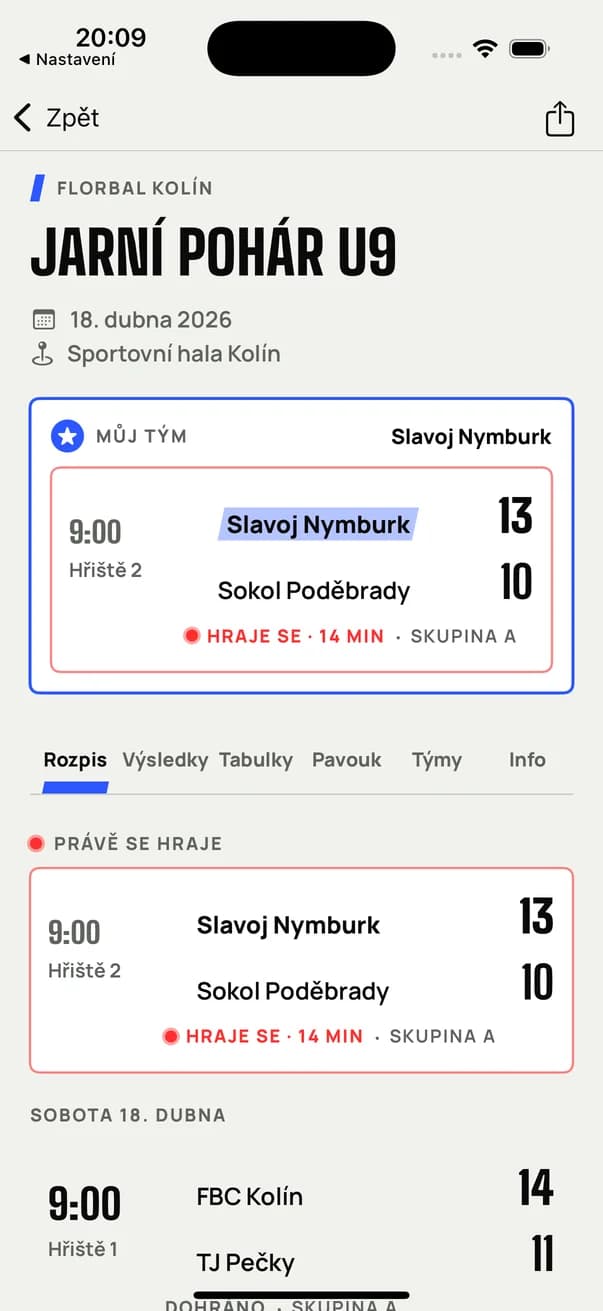
Every tournament has a public page and a QR code. In the mobile app a fan follows their team: the next match, the position in the table and announcements from the organizer.

  • Apps for iPhone and Android, the same design as the web.
  • Followed team: next match on top, highlighted in the schedule and standings.
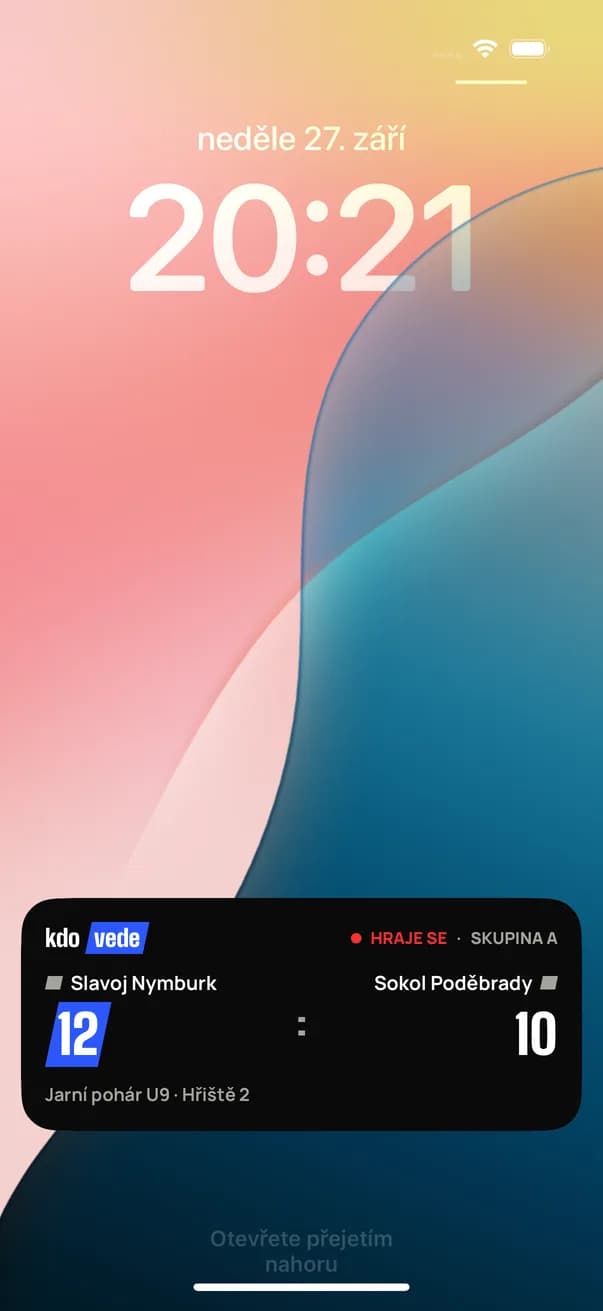
  • Live score of the followed team as a Live Activity in the Dynamic Island and on the iPhone lock screen.
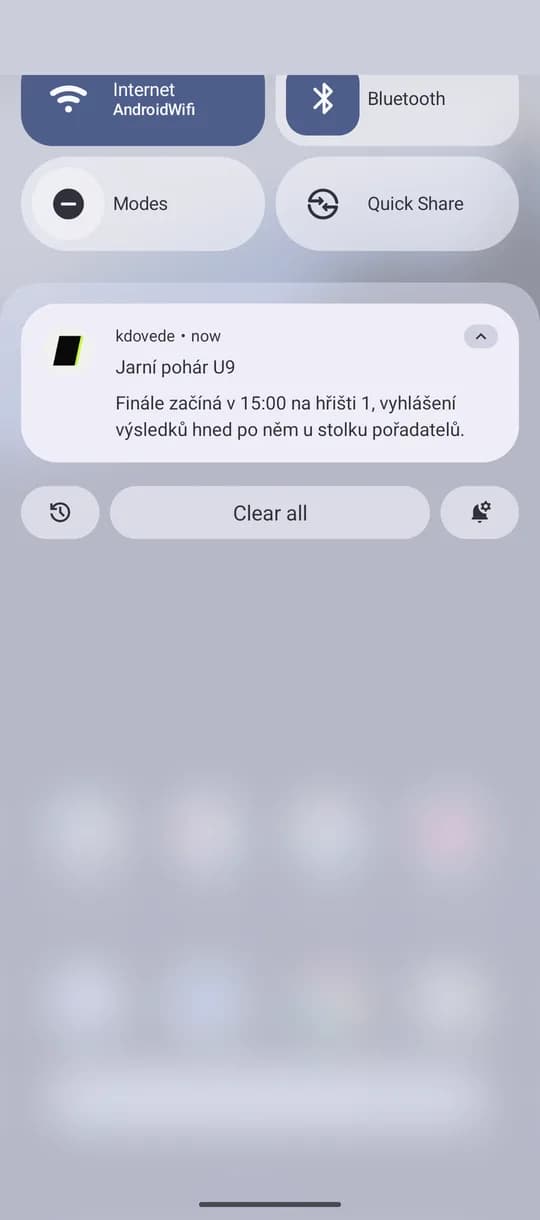
  • Organizer announcements as push: schedule changes, ceremonies, refreshments.
iPhone app with the schedule, a followed team and a live match
iPhone lock screen with a Live Activity: live score of the followed team
Hall screen

The hall knows who leads

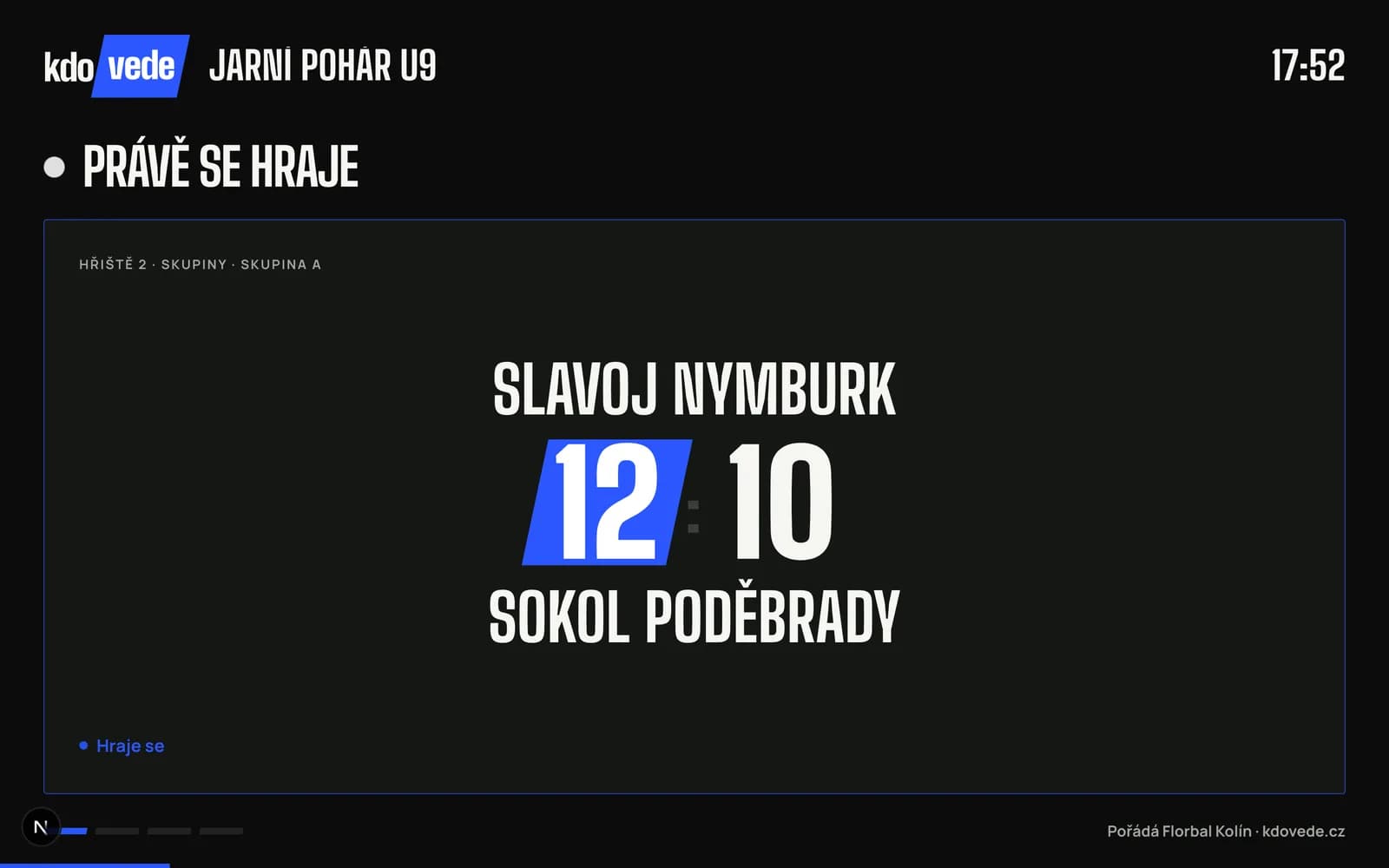
Open the screen page in a browser on a TV or projector: matches in progress with a big score, upcoming matches and standings rotate by themselves, in the organizer's colors.

  • Just a browser, nothing to install.
  • Live score, next matches, standings and bracket in a loop.
  • A dark mode readable across the hall.
Hall screen with the big score of a match in progress
And more
  • Teams and co-organizers

    Rosters, team colors, colleagues with access to the tournament.

  • Your colors

    The tournament carries your club, school or company accent on the web, in the app and on screen.

  • Print and QR code

    A printable schedule for the notice board, a QR code for the poster.

  • Czech and English

    Web and apps in two languages, times in the tournament's zone.

Your next tournament without paper on the wall.

Create a free account and run your next tournament in kdovede: schedule, results and the hall screen.

Create a free account

Questions, or help with your first tournament? Write to contact@punkhive.com

Boy celebrating a goal at a youth tournament